
Connect Help Centre
This page is here to support you in getting the most out of the app – whether you’re new to using it or just looking for guidance on a particular feature.



Viewing your calendar, timesheets, booked, and reserved shifts
Learn how to view your calendar, timesheets, booked, and reserved shifts

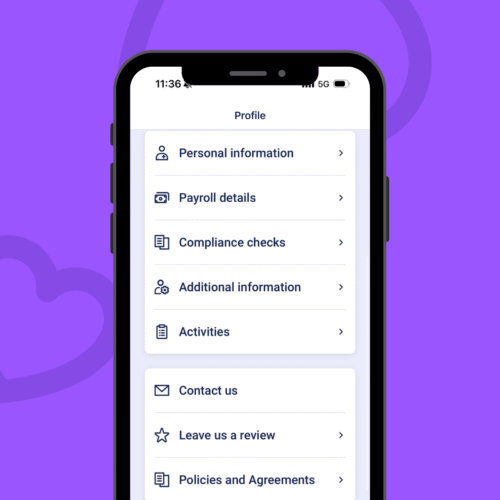
Viewing your profile and updating personal information
Lean how to view and update your personal information
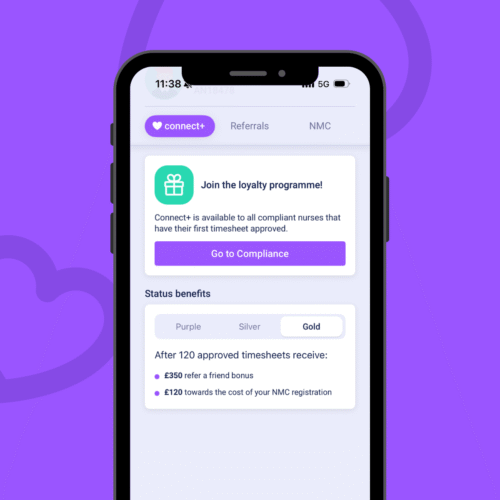
Managing your Connect+ rewards, referrals, and NMC registration
Learn how to manage your Connect+ rewards, referrals, and NMC registration
Step-by-Step Guide
Looking for an easy to follow guide that helps you step-by-step for booking shifts, updating contact details to adding your availability.
View your guide

Save Time and Take Control with Auto-booking
With Auto-Booking, you can set your availability, choose your preferred trusts, hospitals, and wards, and let the app do the rest...

HCRG Staffing Connect: Auto-book vs. Manual Booking
With Auto-book, you can set your availability, choose your preferred trusts, hospitals, and wards, and let the app work for you, automatically securing shifts that match your preferences as soon as they become available...

Why Are Others Getting More Shifts Than I Am?
Did you know that over 5,471 shifts went unbooked last week? That’s many opportunities that could have been yours, and it’s one of the main reasons why many of our healthcare professionals are using Auto-book...

What Auto-book could mean for you and your family
When one of our healthcare professionals, Dorothy, first added her availability into Auto-book, she wasn’t expecting it to make a big difference. Like many others, she was used to manually checking for new shifts...

We Asked Dorothy Why It's Important to Update Availbility Each Week
Keeping your availability up to date is one of the easiest ways to make sure you’re getting the most out of the HCRG Staffing Connect App, especially if you’re using Auto-book...